For drone pilots · Remote ID
Remote ID Pro
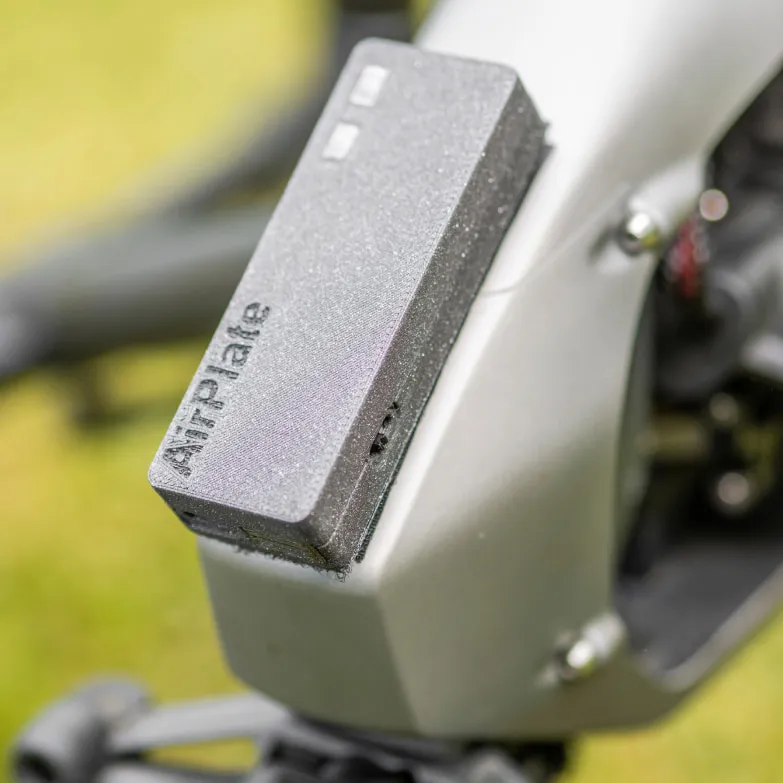
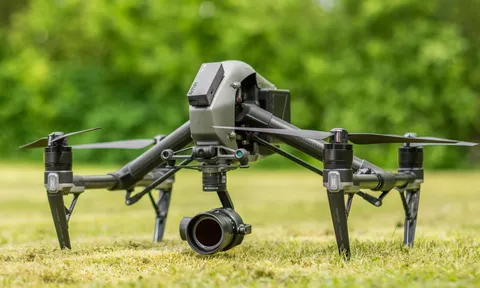
Remote ID Pro attaches to any drone and makes it Remote ID compliant, with broadcast and network Remote ID in one module.
A 10-year worldwide SIM is included, so it works from first power-on with no SIM or network setup. It attaches with the Velcro strip in the box.
2.950 DKK one-off · no subscription
395 EUR excl. taxes
- Broadcast + networkRemote ID in one module
- 10-year SIMincluded, worldwide
- Made in Denmarkby our own engineers in Odense
- Supported byESA BIC Denmark and EU co‑funding
What it does

Broadcast Remote ID
Transmits Bluetooth 5 or Wi-Fi Beacon signals to satisfy broadcast and direct Remote ID requirements.

Network Remote ID
LTE-connected and 5G-ready. Flight data uploads to the AirPlate platform via the included SIM.

10-year SIM included
Worldwide data SIM valid for 10 years. No SIM or network setup: it connects from first power-on.

Dual-standard compliance
Certified against EU prEN 4709-002 and US ASTM F3411-22a. One device covers both markets.

OTA firmware updates
AirPlate pushes firmware updates automatically over the air. No cables, no downtime.

Flexible power
Runs on the drone's power supply or its own internal battery.
In the AirPlate web app
Set up in three steps
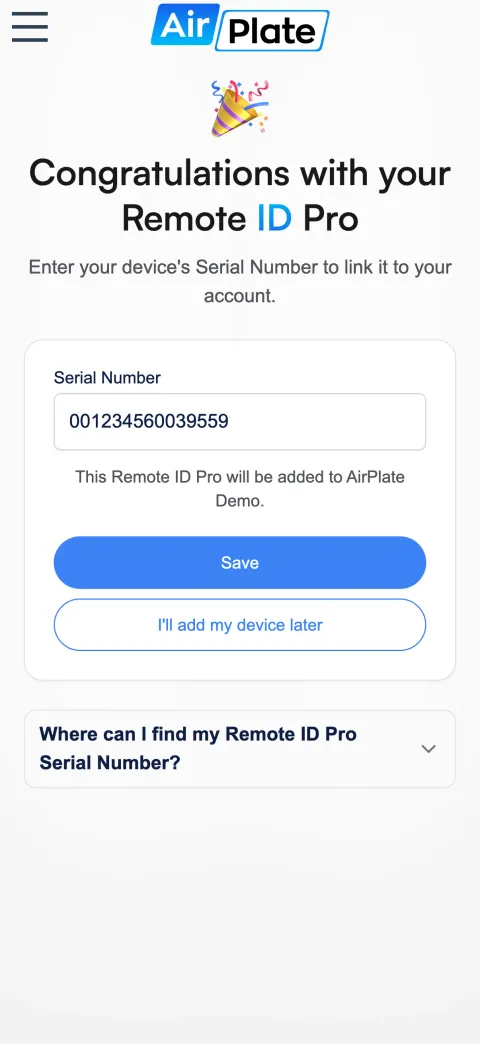
Scan and claim
Scan the QR code on the module. Its serial number is filled in, and Save adds it to your organization.
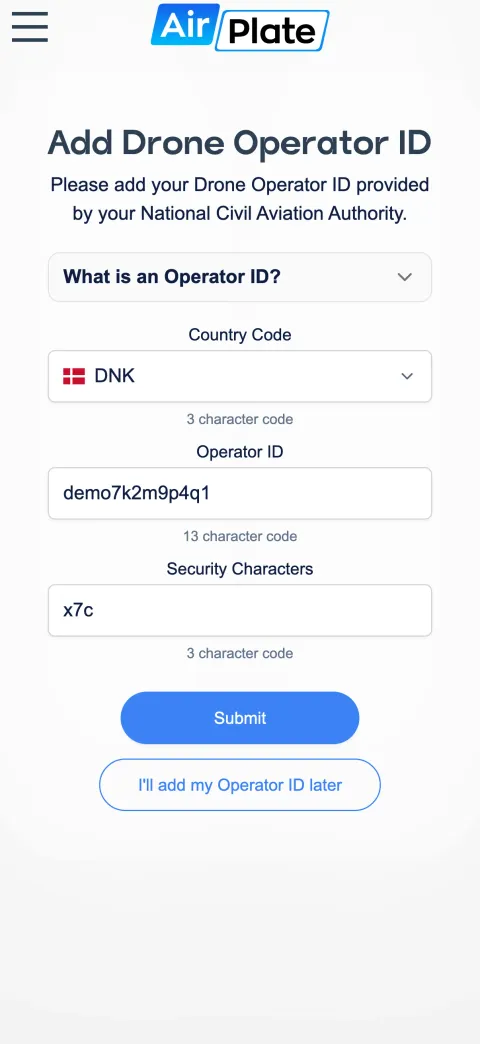
Add your operator ID
Enter the drone operator ID from your national civil aviation authority, with its security characters.
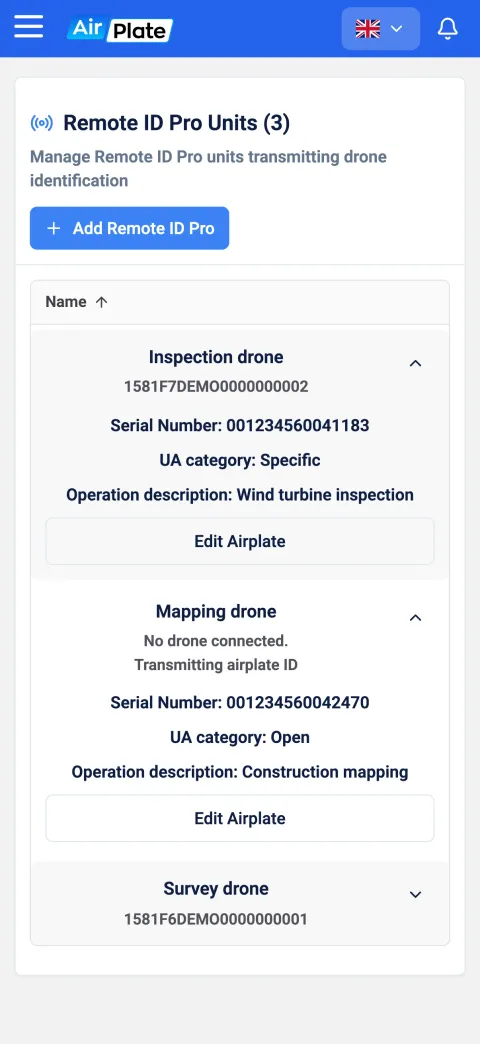
See your units
Every Remote ID Pro in one list, with the drone it is on, its UA category and what it is used for.
Example screens with demo data
Supported regions and countries

European Union
Remote ID Pro complies with EASA’s requirements for Direct Remote Identification in (EU) 2019/945, in accordance with the ASD-STAN prEN 4709-002 standard. Direct Remote ID is required for all new drones weighing over 249 grams or flying in the Open subcategory A2, and for all drones in the Specific category. With its Network Remote ID capability, Remote ID Pro is also U-Space ready.

North America
Remote ID Pro meets the Federal Aviation Administration’s (FAA) requirements for Broadcast Remote ID and is compliant with the ASTM F3411-22a standard. In the US, Broadcast Remote ID is required for all drones weighing between 0.55 and 55 pounds.

Worldwide
Remote ID Pro can be used worldwide with Direct (Broadcast) Remote ID once it is configured in a country with coverage. It supports all countries that use the ASD-STAN (EU) or ASTM (US) standards. Network Remote ID depends on the country and its coverage.
Specifications
- Connectivity
- LTE · 5G ready
- Broadcast
- Bluetooth 5 · Wi-Fi Beacon
- SIM validity
- 10 years · worldwide
- Standards
- EU prEN 4709-002 · US ASTM F3411-22a
- Power
- Internal battery or drone-powered
All specifications
- Firmware
- Over-the-air updates
- Logbook
- Automatic
- Price
- 2.950 DKK · no subscription
Frequently Asked
Questions
What is Remote ID, and why do I need it?
Direct Remote ID is the transmission of your Operator ID from the drone over Bluetooth or Wi-Fi, so the public and the authorities can always see the drone operator's number. Drones can be small, high up or far away, so a number on the drone alone is not enough to identify them; Remote ID makes it readable in an app on a smartphone or another device. The European Union Aviation Safety Agency (EASA) introduced the rules to make drone operations safer and more transparent. Since 1 January 2024, almost all open-category drones flown in the EU must have a Remote ID system installed. Drones manufactured since then need the C-certification to fly in the A2 subcategory (over 250 g); without it, drones between 250 g and 25 kg must fly in subcategory A3.
How do I know which requirements my drone must meet?
Start with the type of drone you have: find its subcategory and the requirements that come with it in the tables on the EASA website (https://www.easa.europa.eu/en/domains/civil-drones-rpas/open-category-civil-drones).
What is the difference between the specific and the open category?
The specific category covers riskier operations that the open category does not. In the specific category, you must submit a declaration for a standard scenario or apply for an operational authorisation to the National Aviation Authority (NAA) of the Member State where you are registered. In the open category, you register with the NAA of the EU country where you intend to fly. The registration number it issues must be displayed on a sticker on every drone you operate and uploaded into each drone's Remote ID system. The open category is split into three subcategories with their own rules, set by the drone's class identification label and weight.
What is the difference between direct and network Remote ID?
Direct Remote ID is broadcast by the drone itself over Bluetooth or Wi-Fi. Network Remote ID sends the drone's information in real time over mobile internet to UTM (Unmanned Aircraft System Traffic Management). Network Remote ID suits advanced operations such as BVLOS flights, drone deliveries, and manned and unmanned traffic in the same airspace. Remote ID Pro does both from one module.
Remote ID Pro is available now.
Buy it online, or get in touch for volume orders and technical questions.
2.950 DKK · one-off, no subscription